I Built Scrawlkit, Hand-Drawn Video Templates on Remotion and Next.js
How I built scrawlkit.com solo, from an ink engine whose strokes wobble like a real pen to cloud rendering on AWS Lambda, Better Auth accounts and Stripe subscriptions, plus the bugs that bit along the way.
Scrawlkit is a small SaaS I built and run on my own. You pick a template, type a few words into a short form, and download an MP4 that looks drawn with a pen on paper. It is made for TikTok, Reels and Shorts, where a hand-drawn clip stands out in a feed full of bold captions over stock footage.
This post is the story of how it works and what I learned building it, from the drawing engine to the billing. If you only want to try it, three renders a month are free and there is no card to enter.
Why hand-drawn
A while ago I built a template-to-video tool for a client. It worked well, and it taught me something about that market: every short-video tool ends up in the same place. Big text, a zoom, a stock clip behind it. Nobody sells a look.
So I picked a look and built the whole product around it. Ink on paper. Wobbly strokes, ruled pages, sticky notes, tally marks, a stamp. It is the opposite of the AI-stock aesthetic, which is exactly why it reads as human when it scrolls past.
What you get
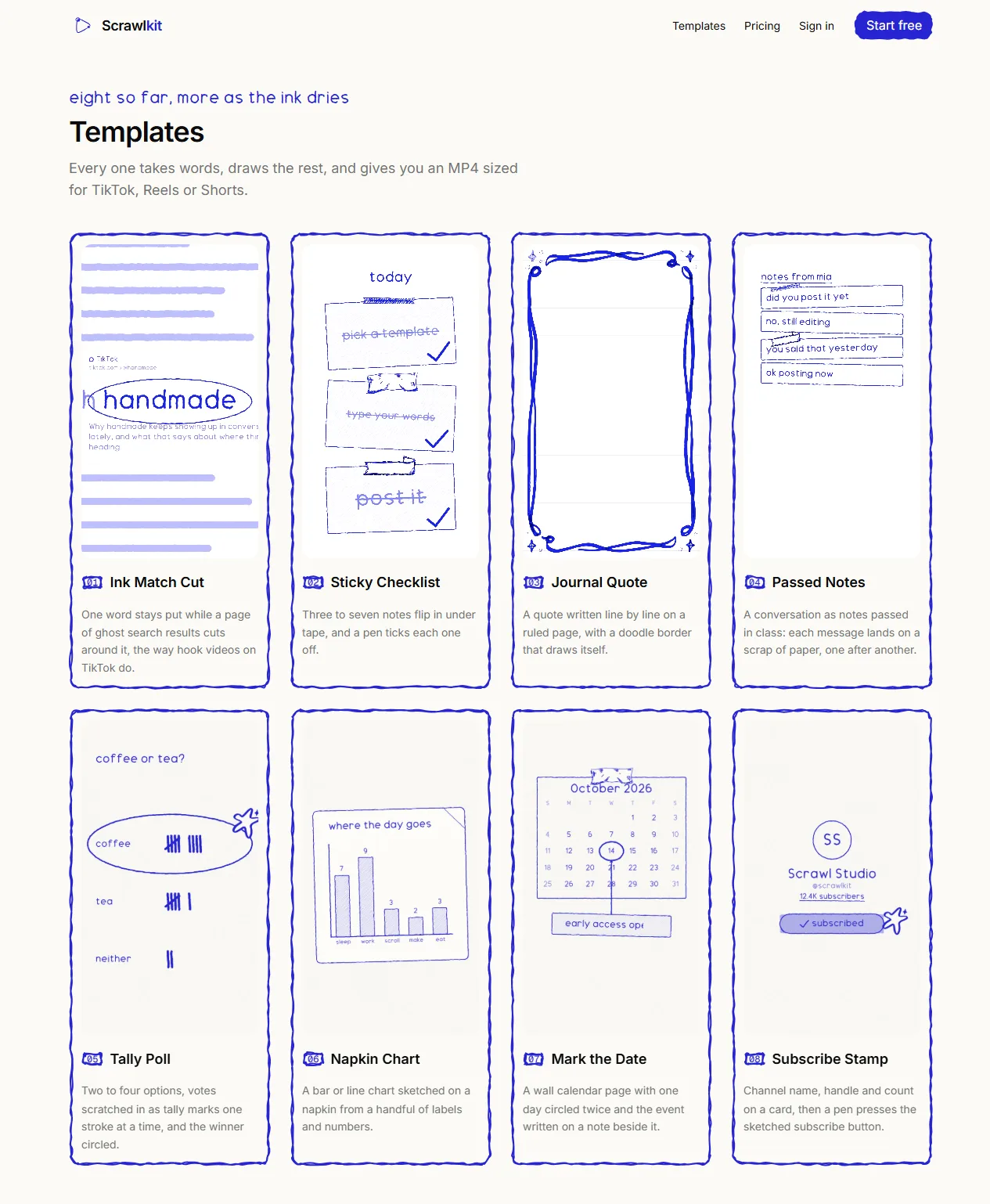
Eight templates at launch: a match-cut hook, a journal quote that writes itself line by line, a sticky checklist, passed notes, a tally poll, a napkin chart, a calendar countdown and a subscribe stamp. Each one has a form with two to five fields and a live preview beside it. Change a word and the preview redraws.
Every template renders in 9:16, 1:1 and 16:9, and lays itself out for the frame instead of cropping. Here is Journal Quote as a real render:
The ink engine
The drawing comes from a library called drawably, which generates rough SVG paths for rectangles, ellipses, arrows, underlines and scribble fills. Its wobble is normally a CSS animation, and CSS animation is frozen when Remotion renders frame by frame. That was the first real problem.
The fix was to make the wobble a function of the frame. Each shape gets a seed from its props, the engine produces three variants of the path from that seed, and the current frame picks which variant to show. A shape "boils" a few times a second the way hand-drawn animation flickers, and a render is deterministic: same props, same video, every time.
Draw-on reveals had a second catch. A rough rectangle is really two overlapping strokes, so a path string contains two subpaths. Revealing it as one line looked wrong. Splitting at each move command and revealing the pieces with a small stagger looks like a pen going round twice, which is what a person does.
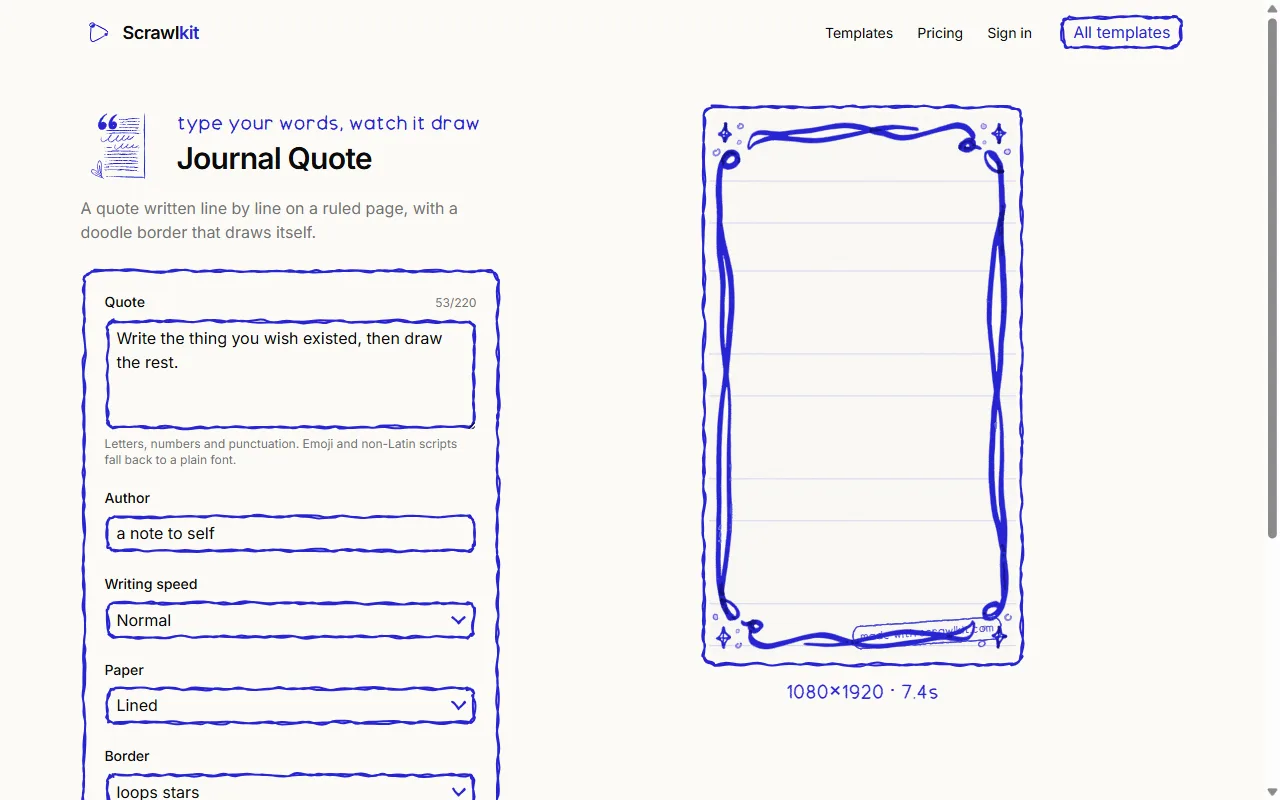
The preview in the browser and the render in the cloud use the same React component with the same props. There is no separate "export" pipeline to drift out of sync.
Rendering on AWS Lambda
Real video rendering needs Chromium and FFmpeg, which do not fit in a normal serverless function. Remotion Lambda solves that by splitting a video into chunks, rendering them on several Lambda functions in parallel and stitching the result. A ten-second clip takes five functions and about a minute, and costs me under a cent.
The constraint I did not expect was concurrency. A new AWS account is limited to ten Lambda functions at once, and a request to raise it was refused at first. Rather than let a third render fail, the app counts renders in flight, caps each at four chunks and one coordinator, and makes the browser wait and retry when every slot is taken. Two people can render at once; a third sees "in line behind other renders" for a minute. A failed render refunds its credit automatically.
The strangest bug was on Windows. Remotion's site deploy compares local file paths with the keys already on S3, and on Windows the local paths use backslashes. Nothing inside a folder ever matched, so every deploy deleted the fonts and sounds the previous deploy had uploaded. Renders failed with a network error from the font loader until I worked out why.
I reported it as remotion#11563 with the two lines that caused it. Jonny Burger, who created Remotion, merged a fix the same day, and found a second place I had missed. Until that release lands my deploy script removes the site first and checks every file afterwards.
Accounts, credits and billing
Sign-in is Better Auth with email and Google, confirmation and password-reset emails through Resend, and Drizzle on Neon Postgres underneath. The free plan is three renders a month. The grant is lazy: it lands the next time you try to render after your reset date, so there is no scheduler to run.
Payments are Stripe Checkout and the customer portal. The webhook is the only thing allowed to change a plan, and it never trusts the event body. It takes the customer id, reads that customer's subscriptions fresh from Stripe, and makes the account match, with compare-and-set updates so a late, repeated or out-of-order event lands on the same answer. I test the whole path with a Stripe test clock that fast-forwards a month and checks that a renewal refills credits exactly once.
Pricing
I priced it after reading nineteen competitors' pricing pages in one afternoon. The closest product charges $9 for its entry plan; the median entry price across the category is about $20. Scrawlkit starts at $12 for forty renders and $29 for a hundred and fifty, with no stamp on paid renders. The free tier keeps the stamp, and the stamp says "made with scrawlkit.com", which is the cheapest marketing I have.
What I would tell myself at the start
Measure before you plan. I nearly built a ledger table for webhook idempotency that the data model did not need. I also nearly shipped an AI-upscaled product photo with the chip's label rewritten into nonsense. Looking at the real output, every time, is most of the job.
Scrawlkit is live at scrawlkit.com. Try a template, and if you build with Remotion, I would like to hear what you make.